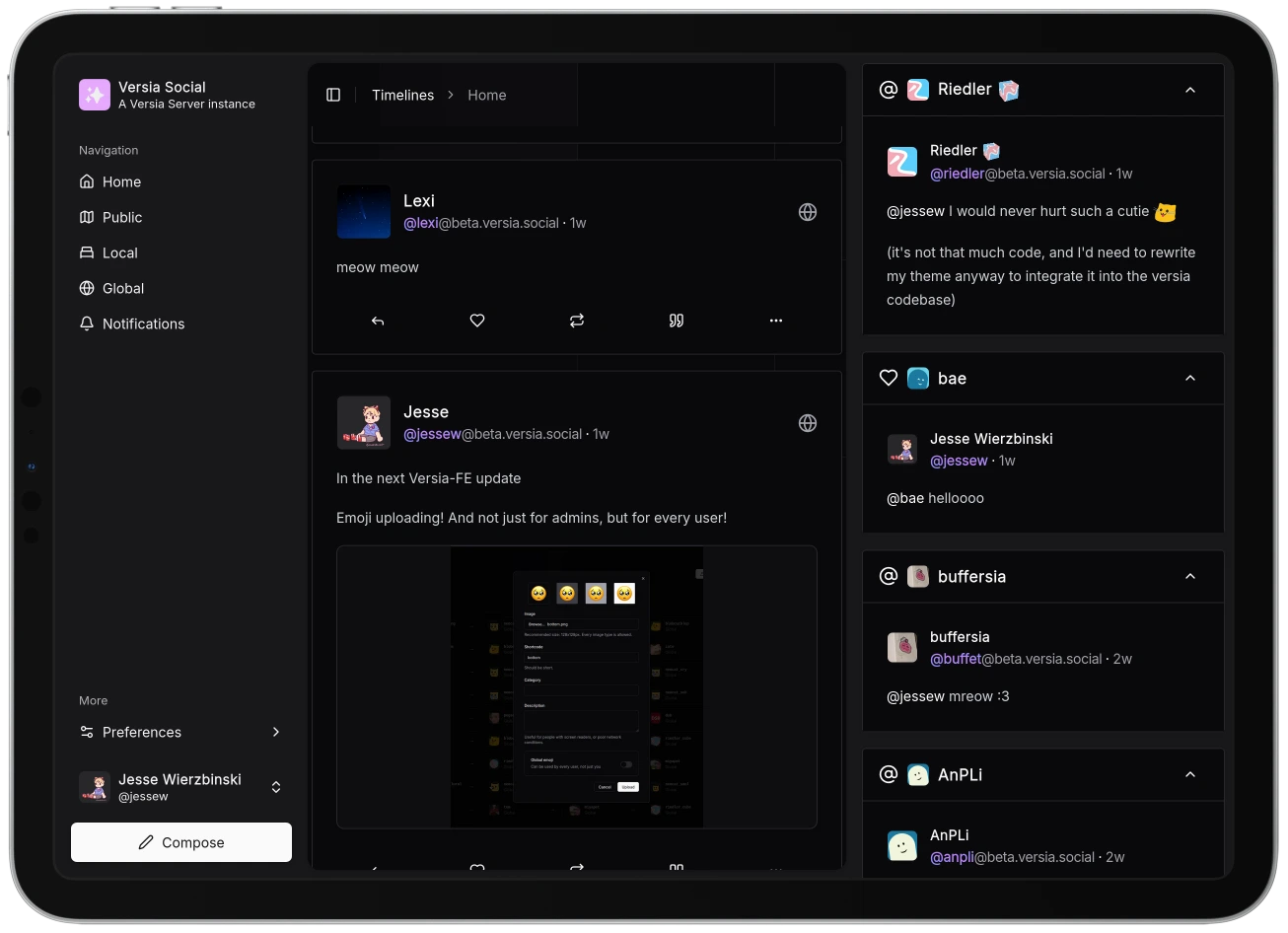
Versia Frontend
# Features
- [x] Timelines: public, home, local
- [x] Login
- [x] Notifications
- [x] Replies
- [x] Quotes
- [x] Markdown posts (quasi-unrestricted)
- [x] Dark mode
- [x] Following
- [x] Multiple accounts
- [x] Custom Emojis
- [x] Versia Server Permissions support
- [x] Note editing
- [x] Alt text support everywhere
- [x] Media uploads
- [x] WCAG 2.2 AAA testing
- [x] Settings
- [x] Profile editing
## Browser Support
The following browsers are **supported** (issues will be prioritized):
- **Chromium**: `110+`
- **Firefox**: `110+`
- **Safari**: `16+`
- **IE**: None.
The following browsers will very likely work, but are not officially supported:
- **Chromium**: `80+`
- **Firefox**: `80+`
- **Safari**: `12+`
- **IE**: None.
Other browsers may work, but are not guaranteed to.
# Performance
## JavaScript
The **total** JavaScript bundle size is less than `1000 kB`, but this is made even smaller by the fact that the bundle is split into multiple files, and only the necessary files are loaded on each page.
## Benchmarks
Soon™.
# Installation
Versia-FE is included in the provided `docker-compose` file during [Versia Server installation](https://github.com/versia-pub/server/blob/main/docs/installation.md).
To have Versia-FE and Versia Server running on the same domain, edit the Versia Server configuration to point to the Versia-FE container's address (`frontend` category inside config).
## Manual Installation
Here are the steps to install Versia-FE manually:
### Docker/Podman
```yaml
services:
fe:
image: ghcr.io/versia-pub/frontend:main
container_name: versia-fe
restart: unless-stopped
networks:
- versia-net
```
Then, the frontend will be available at `http://localhost:3000` inside the container.
> [!TIP]
>
> By default, Versia-FE will connect to any Versia Server instance running on the same domain.
>
> You can set the `NUXT_PUBLIC_API_HOST` environment variable to point to a different Versia Server instance.
### Manual
1. Clone the repository.
```bash
git clone https://github.com/versia-pub/frontend.git
```
2. Install dependencies.
```bash
bun install
```
3. Build the project.
```bash
bun run build
```
4. Serve the static files in the `.output/public` directory.
> [!WARNING]
>
> `.output/public/200.html` should be configured as a fallback for all 404 errors.
# Development
Run `bun run emojis:generate` to generate the emoji list before building or running the project.
# License
This project is licensed under the AGPL 3.0 - see the [LICENSE](LICENSE) file for details.
All Versia assets (icon, logo, banners, etc) are licensed under [CC-BY-NC-SA-4.0](https://creativecommons.org/licenses/by-nc-sa/4.0).
## Misskey Audio
The `public/packs/audio/misskey` directory contains audio files from the Misskey project, which are licensed under the [AGPL 3.0](https://github.com/misskey-dev/misskey/blob/refs/heads/develop/LICENSE).
# Acknowledgments
## Projects
- [**Bun**](https://bun.sh): Thanks to the Bun team for creating an amazing JavaScript runtime.
- [**Nuxt**](https://nuxt.com): Thanks to the Nuxt team for creating an amazing Vue framework.
## People
- [**April John**](https://github.com/cutestnekoaqua): Creator and maintainer of the Versia Server ActivityPub bridge.