| .github | ||
| .vscode | ||
| assets | ||
| benchmarks | ||
| config | ||
| database | ||
| drizzle | ||
| packages | ||
| server/api | ||
| tests | ||
| types | ||
| utils | ||
| .dockerignore | ||
| .gitignore | ||
| API.md | ||
| beemovie.txt | ||
| biome.json | ||
| build.ts | ||
| bun.lockb | ||
| bunfig.toml | ||
| cli.ts | ||
| CODE_OF_CONDUCT.md | ||
| CONTRIBUTING.md | ||
| docker-compose.yml | ||
| Dockerfile | ||
| Dockerfile.FE | ||
| drizzle.config.ts | ||
| entrypoint.sh | ||
| index.ts | ||
| LICENSE | ||
| package.json | ||
| README.md | ||
| routes.ts | ||
| SECURITY.md | ||
| server.ts | ||
| tsconfig.json | ||
| types.d.ts | ||









What is this?
This is a project to create a federated social network based on the Lysand protocol. It is currently in alpha phase, with basic federation and almost complete Mastodon API support.
This project aims to be a fully featured social network, with a focus on privacy, security, and performance. It implements the Mastodon API for support with clients that already support Mastodon or Pleroma.
Note
This project is not affiliated with Mastodon or Pleroma, and is not a fork of either project. It is a new project built from the ground up.
Features
- Inbound federation
- Hyper fast (thousands of HTTP requests per second)
- S3 or local media storage
- Deduplication of uploaded files
- Federation limits
- Configurable defaults
- Full regex-based filters for posts, users and media
- Custom emoji support
- Automatic image conversion to WebP or other formats
- Scripting-compatible CLI with JSON and CSV outputs
- Moderation tools
- Full Mastodon API support
- Outbound federation
Screenshots
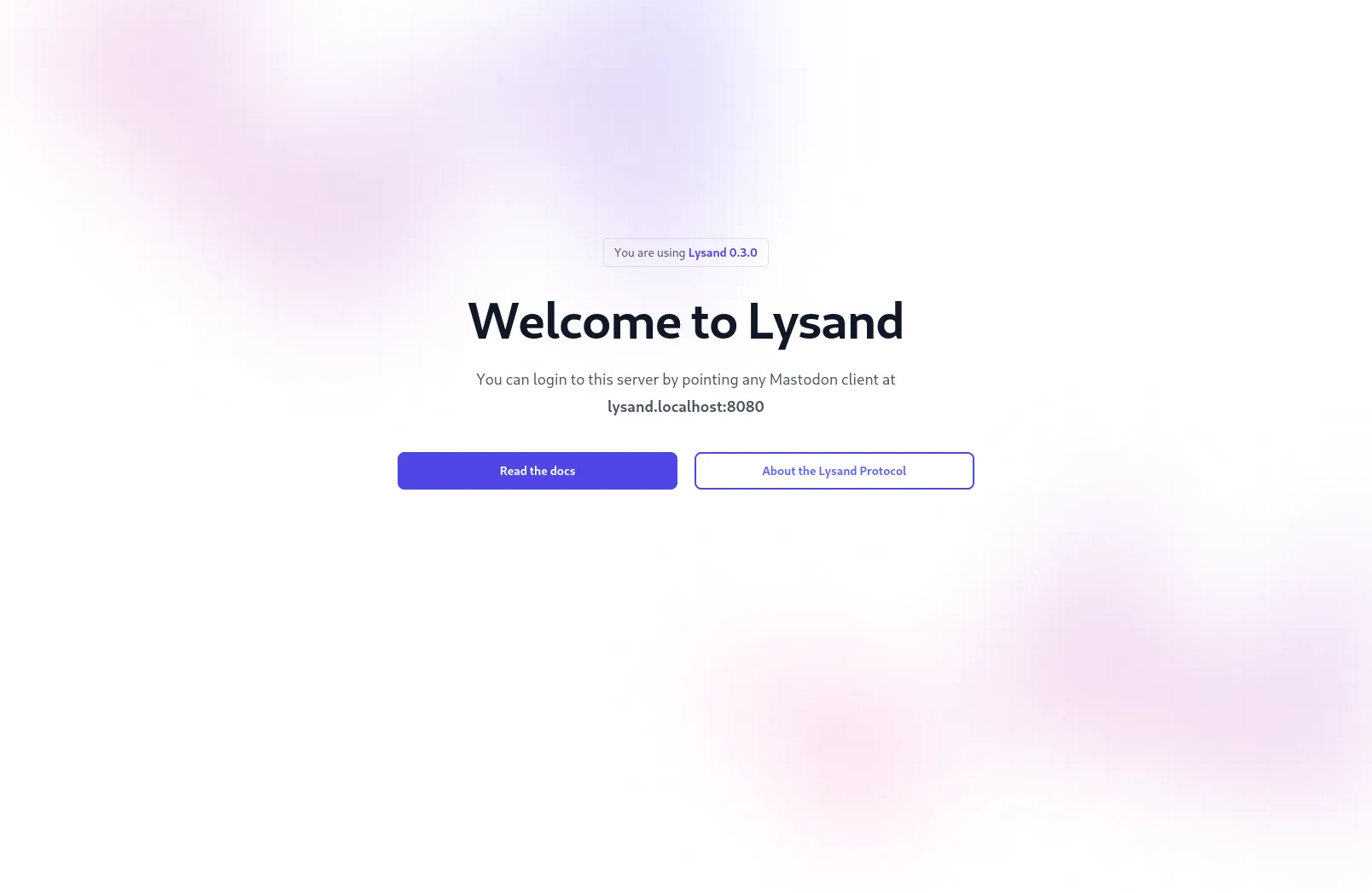
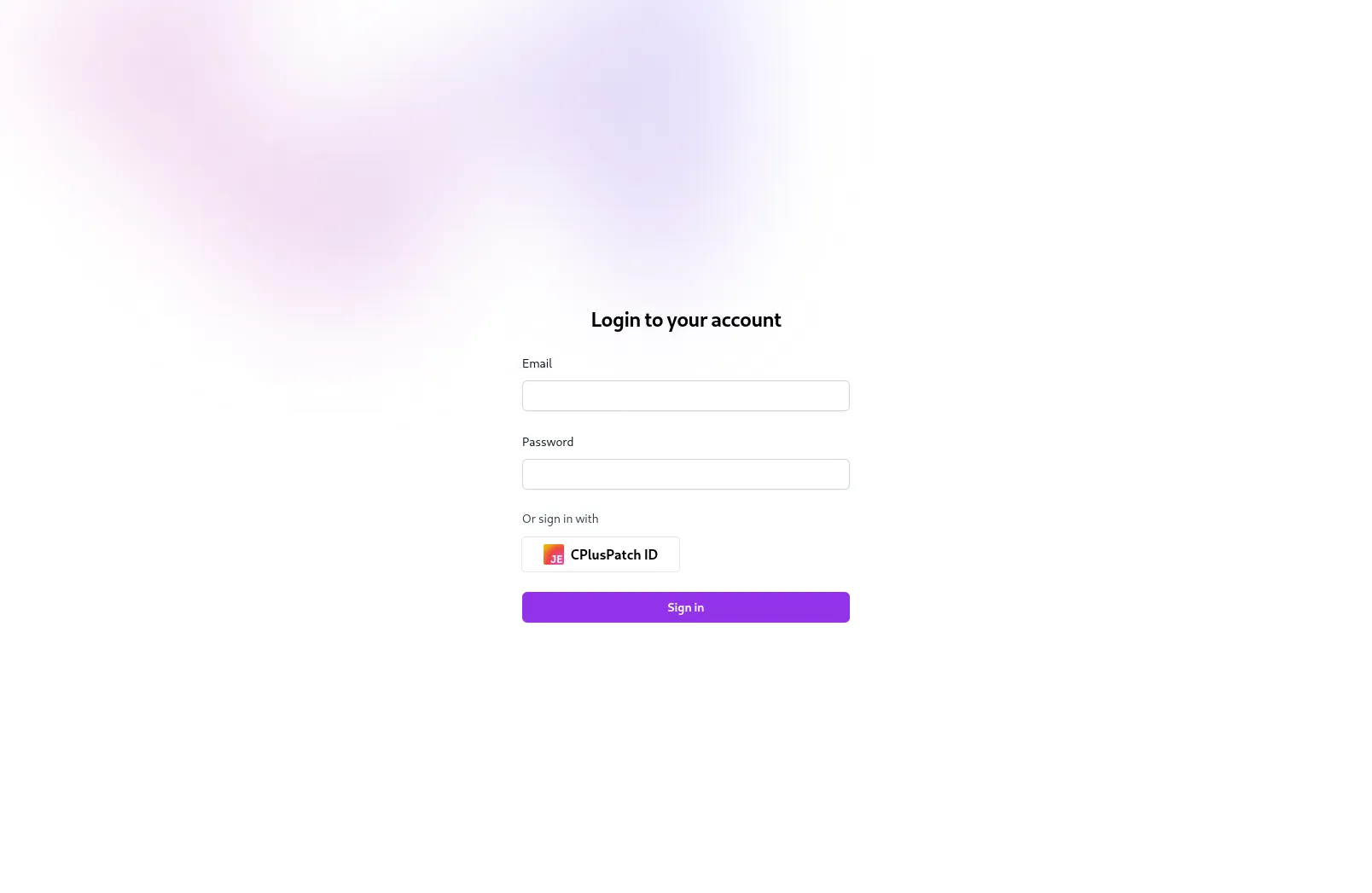
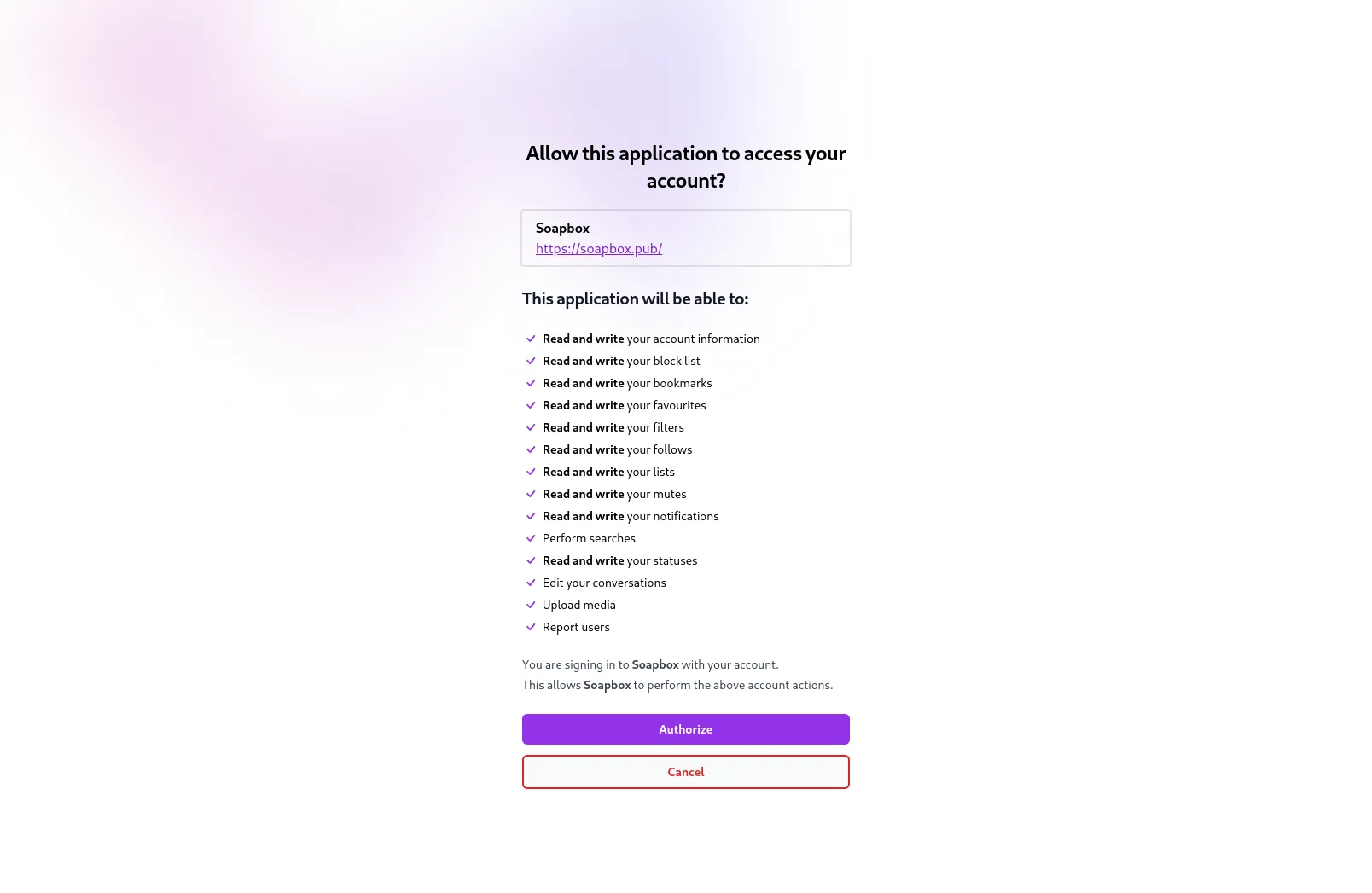
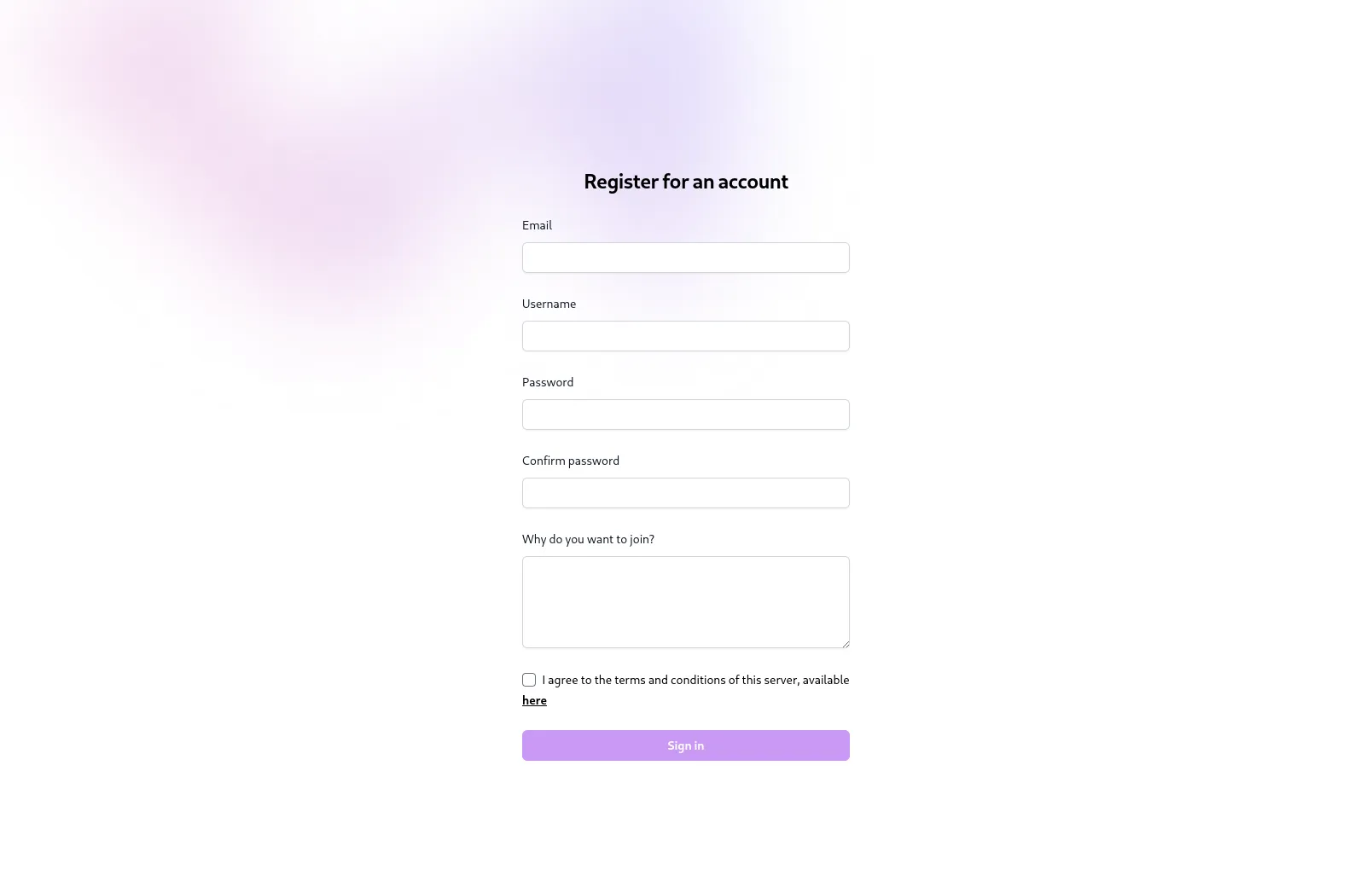
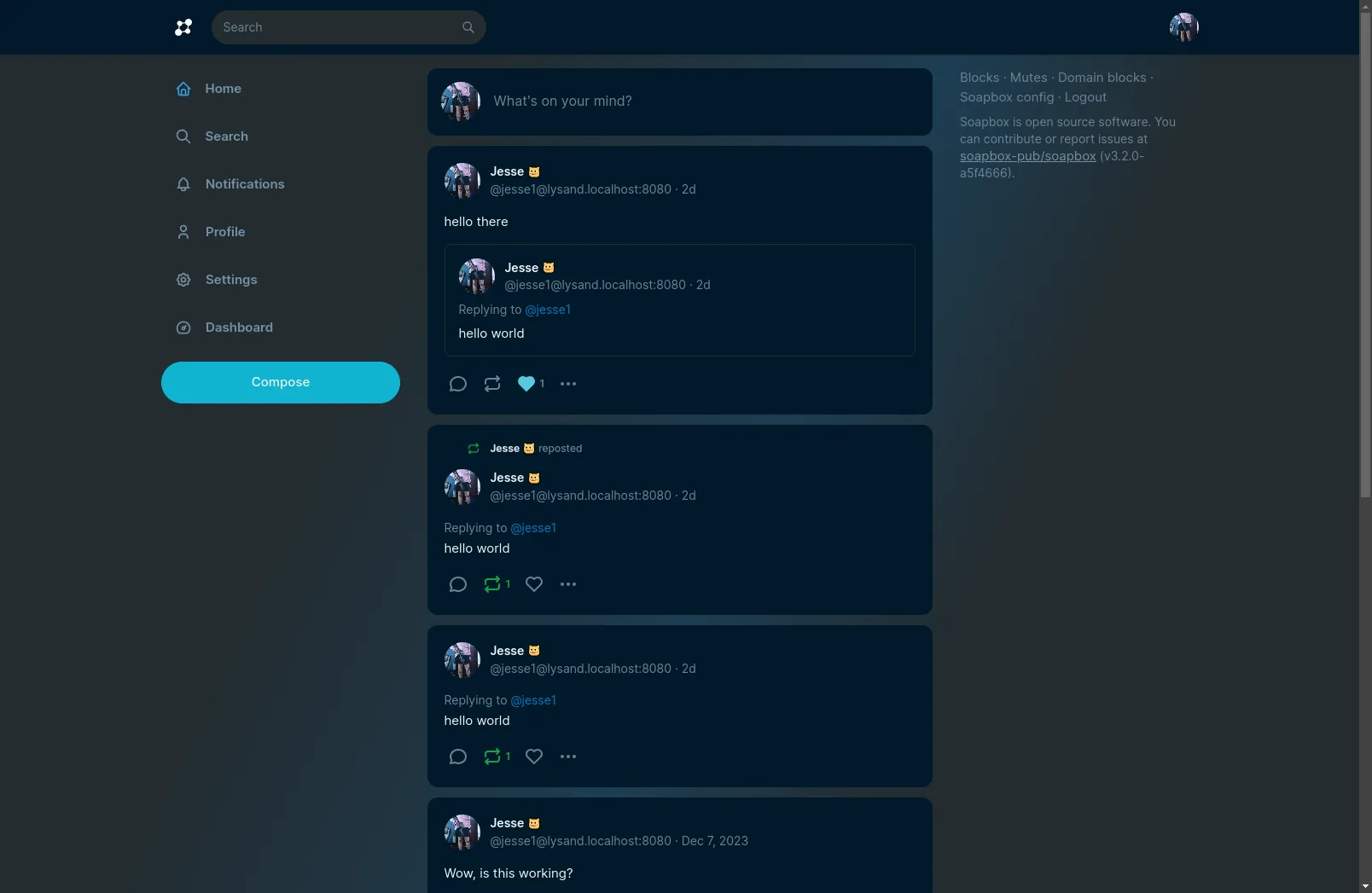
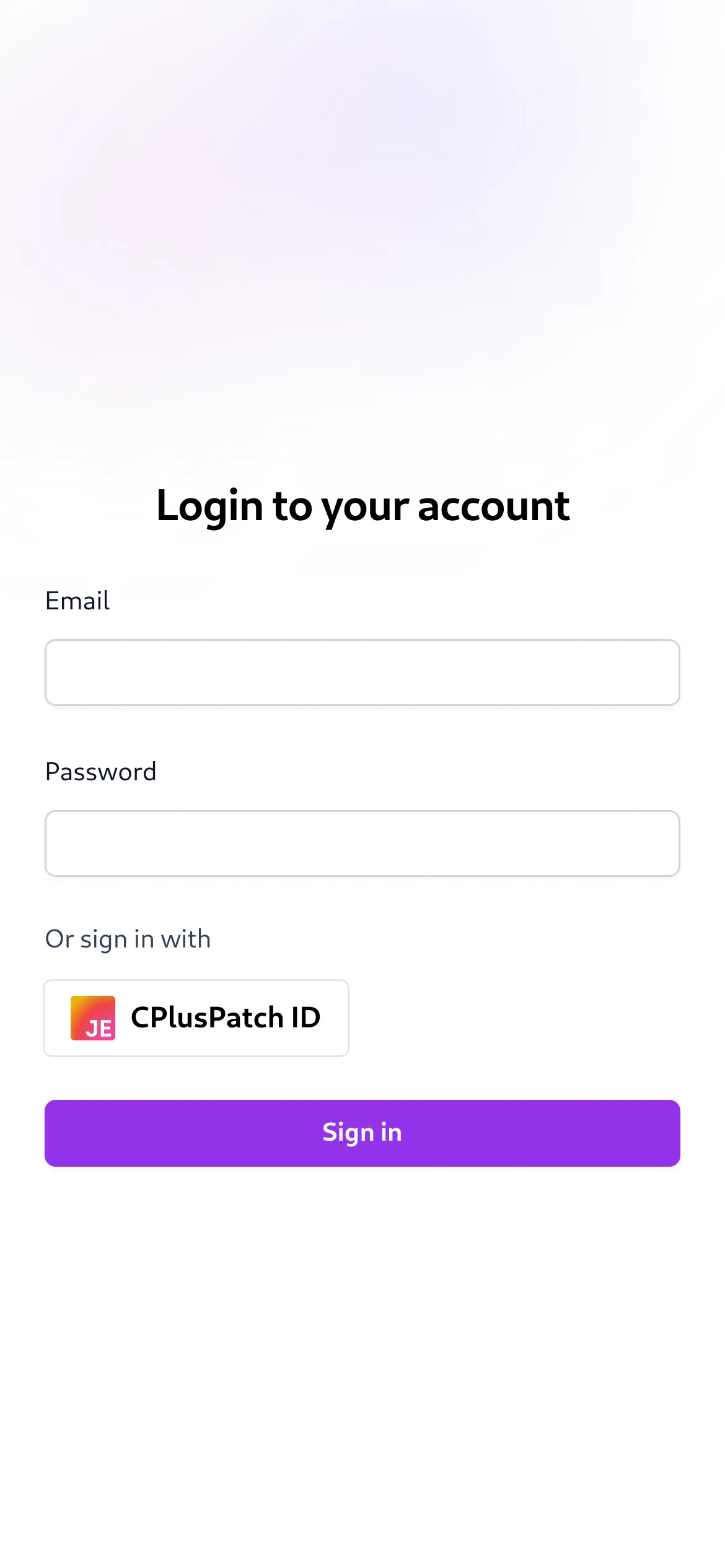
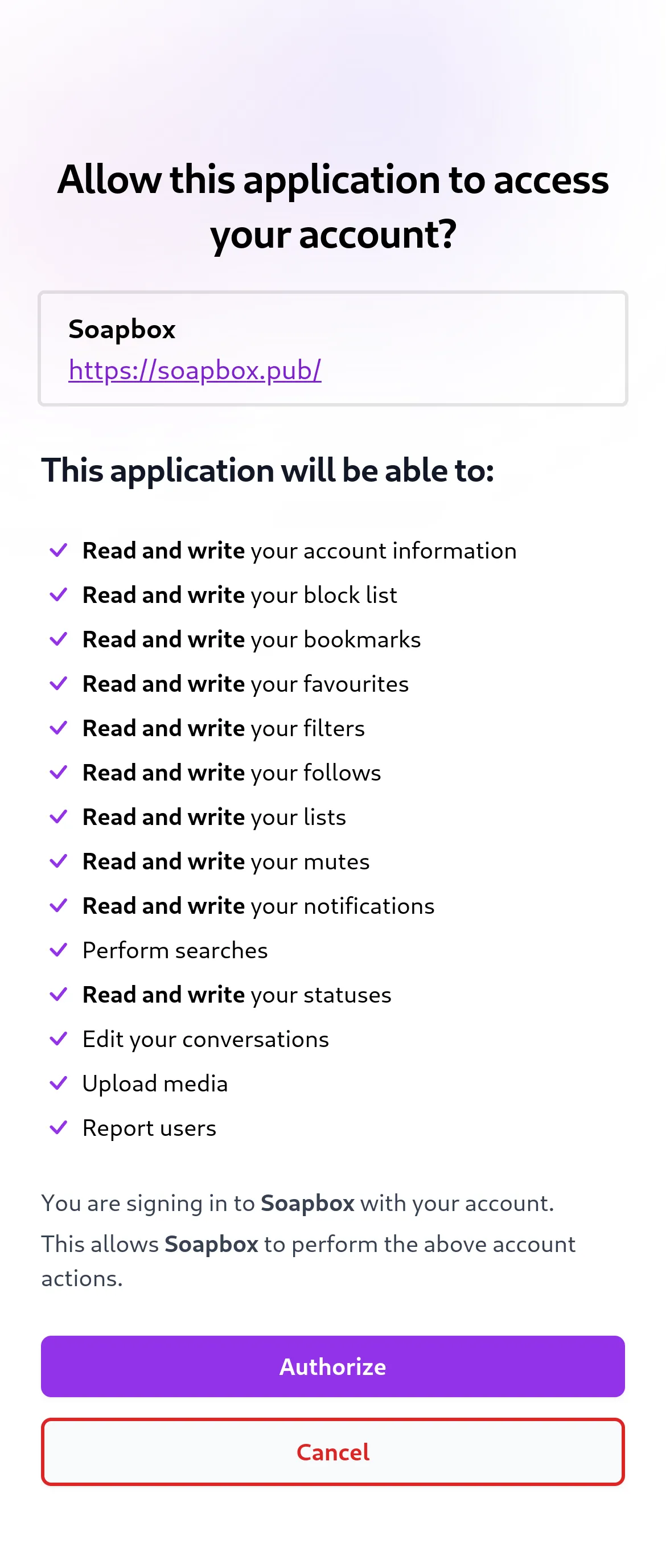
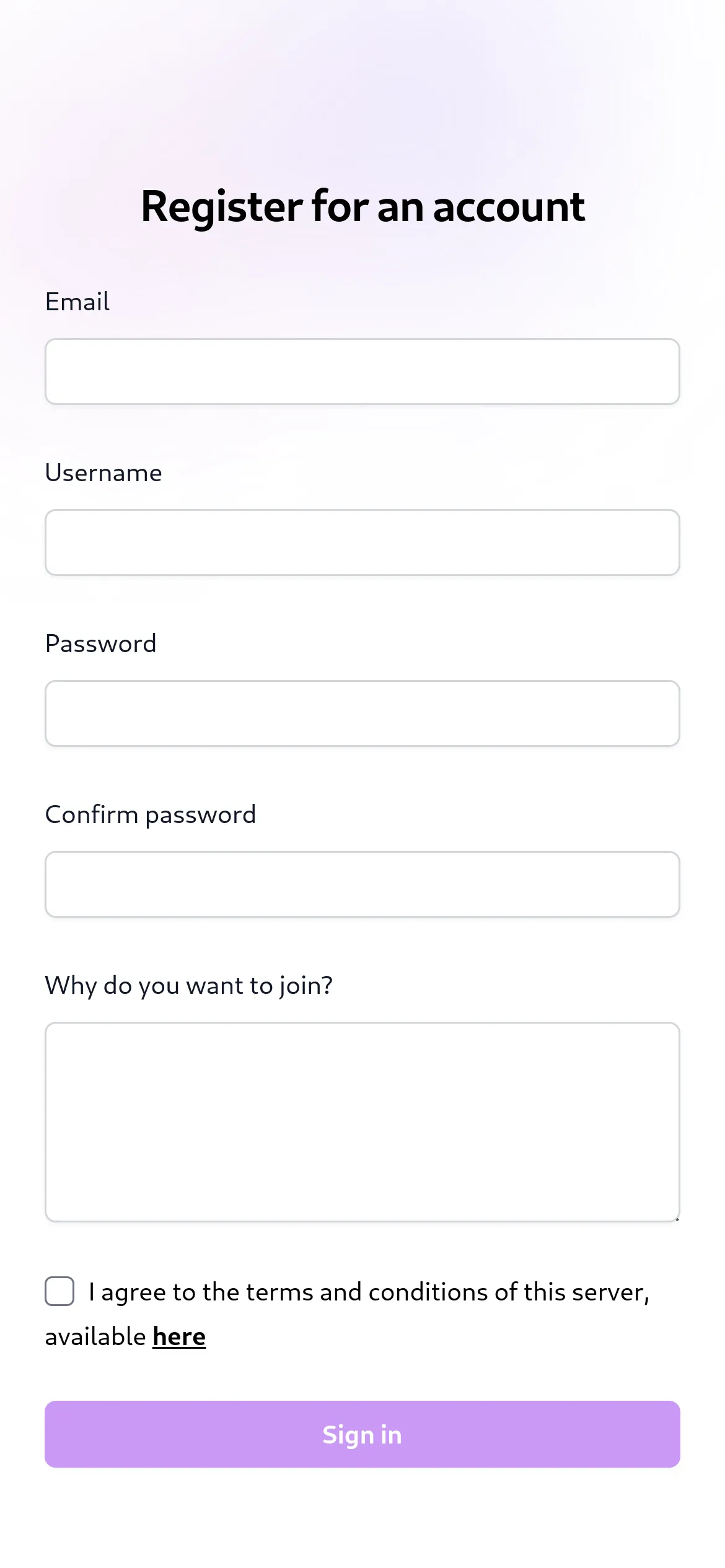
Here are some screenshots of Lysand's built-in web client. This client is built with Vue, and serves to allow users to log in or register. It is kept to only the actions that cannot be done with a Mastodon client, to simplify development. In the future, there may be a full-featured client.
On Desktop
Welcome Page
Logging In
OAuth Confirmation
Registration Page
Home Timeline
On Mobile
Logging In
OAuth Confirmation
Registration Page
Benchmarks
Note
These benchmarks are not representative of real-world performance, and are only meant to be used as a rough guide. Load, and therefore performance, will vary depending on the server's hardware and software configuration, as well as user activity.
Timeline Benchmarks
You may run the following command to benchmark the /api/v1/timelines/home endpoint:
TOKEN=token_here bun benchmark:timeline <request_count>
The request_count variable is optional and defaults to 100. TOKEN is your personal user token, used to login to the API.
On a quad-core laptop:
$ bun run benchmarks/timelines.ts 100
✓ All requests succeeded
✓ 100 requests fulfilled in 0.12611s
$ bun run benchmarks/timelines.ts 1000
✓ All requests succeeded
✓ 1000 requests fulfilled in 0.90925s
$ bun run benchmarks/timelines.ts 10000
✓ All requests succeeded
✓ 10000 requests fulfilled in 12.44852s
Lysand is extremely fast and can handle thousands of HTTP requests per second on a good server.
How do I run it?
Requirements
- The Bun Runtime, version 1.0.30 or later (usage of the latest version is recommended)
- A PostgreSQL database
- (Optional but recommended) A Linux-based operating system
- (Optional if you want search) A working Meiliseach instance
Warning
Lysand has not been tested on Windows or MacOS. It is recommended to use a Linux-based operating system to run Lysand.
We will not be offerring support to Windows or MacOS users. If you are using one of these operating systems, please use a virtual machine or container to run Lysand.
Installation
- Clone this repository
git clone https://github.com/lysand-org/lysand.git
- Install the dependencies
bun install
- Set up a PostgreSQL database, using the
pg_uuidv7extension
Lysand offers a pre-made Docker image for PostgreSQL with the extension already installed. Use ghcr.io/lysand-org/postgres:main as your Docker image name to use it.
You may otherwise use this Dockerfile to set it up.
-
Copy the
config.toml.examplefile toconfig.tomland fill in the values (you can leave most things to the default, but you will need to configure things such as the database connection) -
Run migrations:
bun migrate
- (If you want search)
Create a Meilisearch instance (using Docker is recommended). For a [
docker-compose] file, copy themeilisearchservice from thedocker-compose.ymlfile.
Set up Meiliseach's API key by passing the MEILI_MASTER_KEY environment variable to the server. Then, enale and configure search in the config file.
7. Build everything:
bun prod-build
You may now start the server with bun start. It lives in the dist/ directory, all the other code can be removed from this point onwards.
In fact, the bun start script merely runs bun run dist/index.js --prod!
Running
To run the server, simply run the following command:
bun start
Using the CLI
Lysand includes a built-in CLI for managing the server. To use it, simply run the following command:
bun cli help
If you are running a production build, you will need to run bun run dist/cli.js or ./entrypoint.sh cli instead.
You can use the help command to see a list of available commands. These include creating users, deleting users and more. Each command also has a --help,-h flag that you can use to see more information about the command.
Scripting with the CLI
Some CLI commands that return data as tables can be used in scripts. To convert them to JSON or CSV, some commands allow you to specify a --format flag that can be either "json" or "csv". See bun cli help or bun cli <command> -h for more information.
Flags can be used in any order and anywhere in the script (except for the bun cli command itself). The command arguments themselves must be in the correct order, however.
Rebuilding the Search Index
You may use the bun cli index rebuild command to automatically push all posts and users to Meilisearch, if it is configured. This is useful if you have just set up Meilisearch, or if you accidentally deleted something.
Using Database Commands
The bun prisma commands allows you to use Prisma commands without needing to add in environment variables for the database config. Just run Prisma commands as you would normally, replacing bunx prisma with bun prisma.
With Docker
Note
Docker is currently broken, as Bun with Prisma does not work well with Docker yet for unknown reasons. The following instructions are for when this is fixed.
These instructions will probably also work with Podman and other container runtimes.
You can also run Lysand using Docker. To do so, you can:
- Acquire the Postgres Dockerfile from above
- Use this repository's
docker-compose.ymlfile - Create the
lysand-netdocker network:
docker network create lysand-net
- Fill in the config file (see Installation)
- Run the following command:
docker-compose up -d
You may need root privileges to run Docker commands.
Running CLI commands inside Docker
You can run CLI commands inside Docker using the following command:
sudo docker exec -it lysand sh entrypoint.sh cli ...
Running migrations inside Docker
You can run migrations inside Docker using the following command (if needed):
sudo docker exec -it lysand sh entrypoint.sh prisma migrate deploy
Contributing
Contributions are welcome! Please see the CONTRIBUTING.md file for more information.
Planned Extra Features
- Send notifications to moderators when a report is received
- Email notifications on certain actions
Federation
Warning
Federation has not been tested outside of automated tests. It is not recommended to use this software in production.
The following extensions are currently supported or being worked on:
org.lysand:custom_emojis: Custom emojis
API
Lysand implements the Mastodon API, with some extensions. The API is currently in early alpha, and is not recommended for use in production.
Working endpoints are:
/api/v1/accounts/api/v1/accounts/:id/api/v1/accounts/:id/statuses/api/v1/accounts/:id/follow/api/v1/accounts/:id/unfollow/api/v1/accounts/:id/block/api/v1/accounts/:id/unblock/api/v1/accounts/:id/mute/api/v1/accounts/:id/unmute/api/v1/accounts/:id/pin/api/v1/accounts/:id/unpin/api/v1/accounts/:id/note/api/v1/accounts/:id/remove_from_followers/api/v1/accounts/relationships/api/v1/accounts/update_credentials/api/v1/accounts/verify_credentials/api/v1/accounts/familiar_followers/api/v1/profile/avatar(DELETE)/api/v1/profile/header(DELETE)/api/v1/statuses/:id(GET,DELETE)/api/v1/statuses/:id/context/api/v1/statuses/:id/favourite/api/v1/statuses/:id/unfavourite/api/v1/statuses/:id/favourited_by/api/v1/statuses/:id/reblogged_by/api/v1/statuses/:id/reblog/api/v1/statuses/:id/unreblog/api/v1/statuses/:id/pin/api/v1/statuses/:id/unpin/api/v1/statuses/api/v1/timelines/public/api/v1/timelines/home/api/v1/apps/api/v1/instance/api/v1/custom_emojis/api/v1/apps/verify_credentials/oauth/authorize/oauth/token/api/v1/blocks/api/v1/mutes/api/v2/media/api/v1/notifications
Tests needed but completed:
/api/v1/media/:id/api/v2/media/api/v1/favourites/api/v1/accounts/:id/followers/api/v1/accounts/:id/following/api/v2/search
Endpoints left:
/api/v1/reports/api/v1/accounts/:id/lists/api/v1/follow_requests/api/v1/follow_requests/:account_id/authorize/api/v1/follow_requests/:account_id/reject/api/v1/follow_suggestions/api/v1/domain_blocks(GET,POST,DELETE)/api/v2/filters(GET,POST)/api/v2/filters/:id(GET,PUT,DELETE)/api/v2/filters/:filter_id/keywords(GET,POST)/api/v2/filters/keywords/:id(GET,PUT,DELETE)/api/v2/filters/:filter_id/statuses(GET,POST)/api/v2/filters/statuses/:id(GET,DELETE)/api/v1/endorsements/api/v1/featured_tags(GET,POST)/api/v1/featured_tags/:id(DELETE)/api/v1/featured_tags/suggestions/api/v1/preferences/api/v1/followed_tags/api/v2/suggestions/api/v1/suggestions/:account_id(DELETE)/api/v1/tags/:id/api/v1/tags/:id/follow/api/v1/tags/:id/unfollow/api/v1/statuses/:id/translate/api/v1/statuses/:id/bookmark/api/v1/statuses/:id/unbookmark/api/v1/statuses/:id/mute/api/v1/statuses/:id/unmute/api/v1/statuses/:id(PUT)/api/v1/statuses/:id/history/api/v1/statuses/:id/source/api/v1/polls/:id/api/v1/polls/:id/votes/api/v1/scheduled_statuses/api/v1/scheduled_statuses/:id(GET,PUT,DELETE)/api/v1/timelines/tag/:hashtag/api/v1/timelines/list/:list_id/api/v1/conversations/api/v1/conversations/:id/api/v1/conversations/:id/read/api/v1/lists(GET,POST)/api/v1/lists/:id(GET,PUT,DELETE)/api/v1/markers(GET,POST)/api/v1/lists/:id/accounts(GET,POST,DELETE)/api/v1/notifications/:id/api/v1/notifications/clear/api/v1/notifications/:id/dismiss/api/v2/instance/api/v1/instance/peers/api/v1/instance/activity/api/v1/instance/rules/api/v1/instance/domain_blocks/api/v1/instance/extended_description/api/v1/directory/api/v1/trends/tags/api/v1/trends/statuses/api/v1/trends/links/api/v1/announcements/api/v1/announcements/:id/dismiss/api/v1/announcements/:id/reactions/:name(PUT,DELETE)- Admin API
WebSocket Streaming API also needed to be added (and push notifications)
License
This project is licensed under the AGPL-3.0.